WordPress Gutenberg 9.2 Update

WordPress Gutenberg 9.2 offers dozens of new features. Moves closer to becoming a modern site editor.
WordPress Gutenberg 9.2 come with a big security fix and many improvements, bringing Gutenberg closer to being a fully developed way of creating web pages.
Contents
Security Fix
This security fix addresses a particularly nasty form of attack called a Regular Expression Denial of Service (ReDoS) attack. A ReDos attack causes a server to overload CPU usage, bringing the server to a halt.
Image Alt Text Fallback
The next notable change is to add an alt text fallback for when no alt text is specified. Gutenberg will use the caption as the alt text.
It’s arguably not an ideal solution because that means a screen reader is going to repeat the same phrase twice.
The alt text should ideally be a unique description of what the image is, which should be different from what’s in a caption.
Support for Video Subtitles
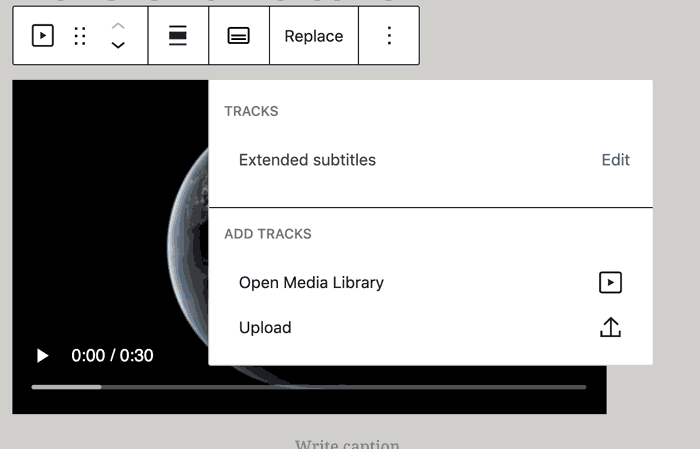
Gutenberg 9.2 adds support for adding video subtitles, which is a pretty cool feature. The video media workspace now includes a dropdown that provides an option to add subtitles.
Information Panel Design Update
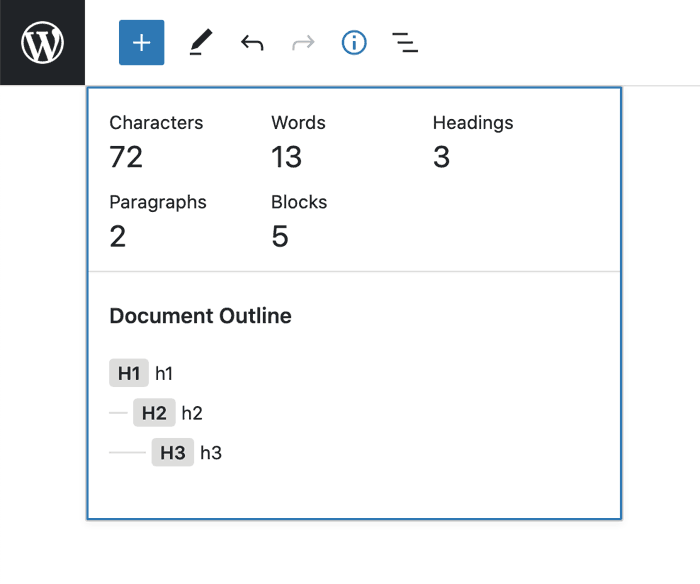
There is an update to the way an info panel appears. The info panel is a toggled display of statistics of the current document, such as the character count, words and headings used.
This is a UI improvement, but also a stopgap until a final version is created.
Improvement to Column-Based Layouts
This change is an improvement to the process of making column-based layouts. It adds the ability to create a single-column block.
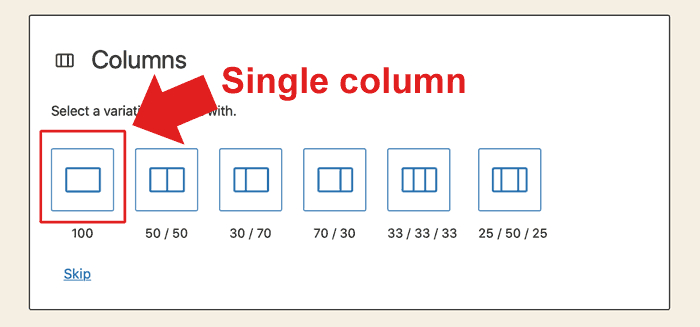
The ability to add a single-column section to a layout is important. It’s a common feature in WordPress builders like Divi. So it’s a welcome addition to Gutenberg that extends its ability to create beautiful WordPress layouts.
Distraction-free Writing Options
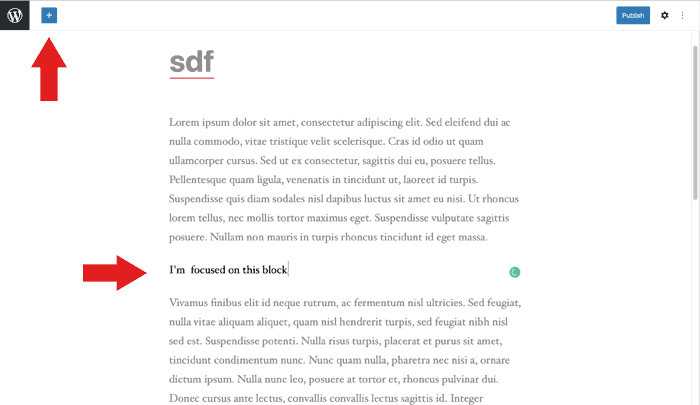
An improvement to the “spotlight mode” of content creation which hides editing tools, which adds a spotlight to the section being worked on, and reduces theme styling effects.
It’s a distraction-free editing environment that a content creator can choose.
Post Featured Image Link
This adds the ability to make the featured image a link to the article. The documentation is unclear as to whether this is for a section that lists articles where a featured image can be a clickable element.
Widgets Screen
The widgets screen has a great deal of incremental improvements, including accessibility enhancements. The accessibility improvement is to adding meaningful labels to ARIA landmarks to make them more descriptive.
New APIs and Experimental Features
Beyond the above incremental and important additions, there are more technical additions like making block supports server-side explicit, mostly under the hood type improvements.
The “experiments” improvements affect the Query Block and Site Editor. They are generally UI and feature improvements to how the block interfaces work and adding basic but important options like adding “Custom Post Types support in Query block.”
Similarly, the site editor “experiments” section has improvements like adding a page switcher and template switcher option to the navigation panel.
Bug Fixes, Performance and Documentation
Gutenberg 9.2 comes with dozens of bug fixes, a few under the hood performance enhancements, additions to the documentation and code quality fixes.
Overall, these improvements are about making Gutenberg a viable way to create WordPress websites.
A number of the additions are things that are already available in modern third party page builders. So in a way, WordPress is playing catch up. Nevertheless, this is progress toward a modern site editing process.